Suite 107 · Governance
Marketing governance that LOs don’t fight
Mortgage marketing compliance controls built into the suite: disclosure blocks edited once and inherited everywhere, approve-before-publish for the changes that matter, and an audit log of every edit.
Four controls
Consistency without a bottleneck
Answer first: governance in the suite means four controls working together, so a group can let every LO market personally while the company keeps one standard.
Central disclosure blocks
Company NMLS ID, state license lines, the Equal Housing Opportunity statement and advertising disclosures live in blocks. Edit once; every page updates the same day.
- Version history per block
- Per-state variants
Locked fields
Logos, disclosures and license lines can’t be edited at LO level.
Approve before publish
Changes that touch programs, rates or promotions wait for the right reviewer.
Audit log
Every edit, approval and publish, with before and after, exportable for exams.
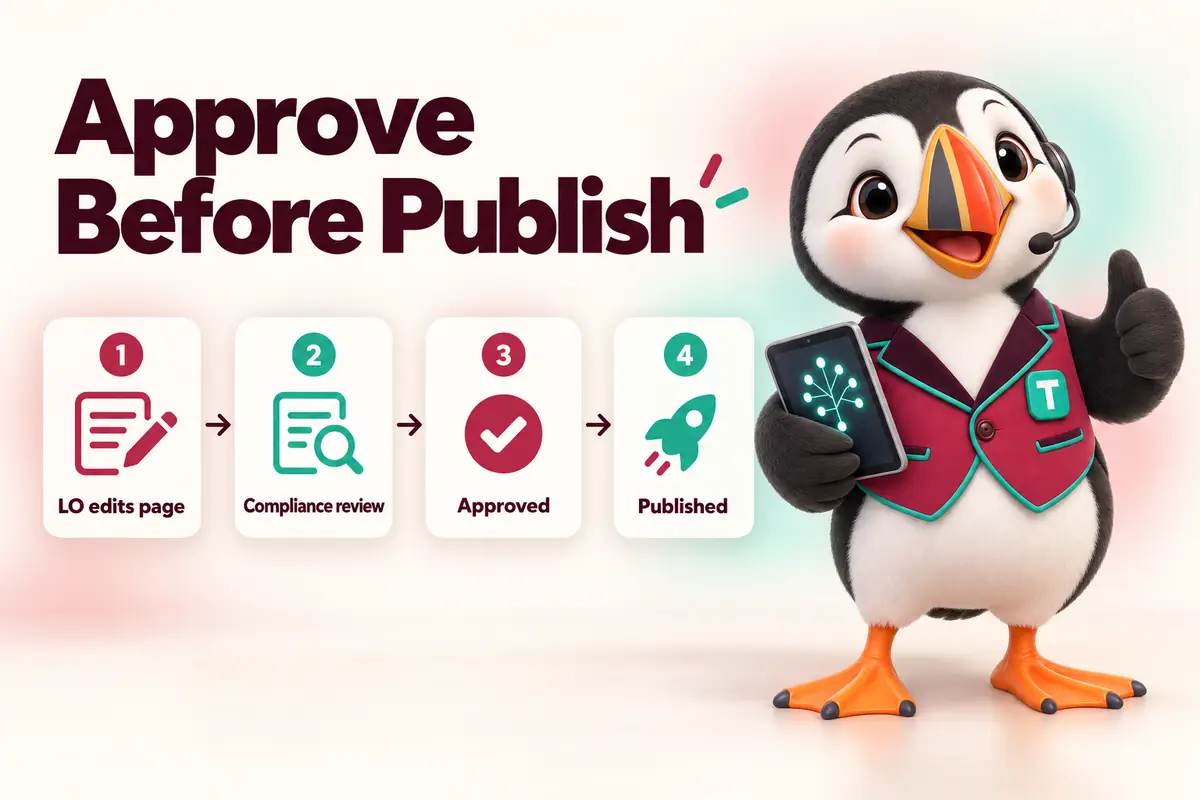
The approval workflow
What needs approval, and what doesn’t
- Publishes instantly: photo, calendar link, bio wording you’ve allowed, contact preferences.
- Needs review: featured programs, promotions, any mention of rates, payments or terms, new funnel copy.
- Locked: NMLS IDs, license lines, disclosure blocks, logo and brand colors.
Ask the front desk
Questions about governance

-
YouWhat is marketing governance for a mortgage company?
Funnel Suite teamMarketing governance is the set of controls that keep every page, funnel and message consistent and compliant across a group: central disclosure blocks, locked fields, an approval workflow, roles and an audit log. It lets loan officers personalize their marketing without a compliance officer chasing rogue pages.
-
YouWhat are central disclosure blocks?
Funnel Suite teamReusable blocks of required text (company NMLS ID, state license lines, the Equal Housing Opportunity statement, advertising disclosures) edited in one place and inherited by every page that uses them. Change the block once and every page updates.
-
YouWho approves changes?
Funnel Suite teamYou decide. Typical setups: LO page edits go to the branch manager; anything mentioning rates, programs or promotions goes to the compliance reviewer. The Company Suite supports multi-step approval chains.
-
YouDoes the approval workflow make you our compliance department?
Funnel Suite teamNo. We provide the tools and flag items that usually need review, but your licensed staff and counsel decide what is compliant. We do not give legal advice.
-
YouWhat does the audit log record?
Funnel Suite teamWho changed what, when, the before and after, who approved it and when it went live, for pages, disclosure blocks, funnels and message templates. Logs can be exported for audits and exams.
-
YouCan an LO publish without approval?
Funnel Suite teamOnly if you allow it. Fields like bio wording can be set to publish instantly while anything touching programs or rates requires approval. Locked fields (NMLS lines, disclosures, logos) can never be edited by LOs.
-
YouWhat happens when an LO leaves?
Funnel Suite teamAn admin deactivates the seat: the LO’s page redirects to the branch, their pipeline is reassigned, and the change is logged.
-
YouIs governance available on the Team Suite?
Funnel Suite teamThe Team Suite includes central disclosure blocks and locked fields. The approval workflow is on Branch and Company plans; the audit log and custom roles are on the Company Suite.
-
YouHow do you handle trigger terms in ads and pages?
Funnel Suite teamTemplates avoid Regulation Z trigger terms (specific rates, payments, down payment amounts, terms) by default. Content that includes them is flagged for approval with the required disclosure block attached.
No question matches that. Search the help center or ask us directly.
Bring your compliance officer to the walkthrough
We’ll show the approval queue, the disclosure blocks and the audit export, and answer their questions directly.
Free 30-minute walkthrough · no obligation · reply within 1 business day